
Best AI Meeting Notes for Discord Teams in 2025
Discover top AI meeting notes bots for Discord in 2025, enhancing productivity with automated transcription and summaries.
Best AI Meeting Notes for Discord Teams in 2025
Discord teams using AI meeting notes save over four hours weekly by automating transcription and summaries for voice channel conversations. Tools like Harmony and NotesBot support 57-100+ languages with speaker attribution, while DiscMeet posts notes directly in Discord threads for easy team access.
At a Glance
- Discord voice channels lack native recording, causing teams to lose valuable decisions and context once calls end
- Modern AI bots achieve 96% speaker-tagged transcription accuracy with support for 100+ languages
- Setup takes under 2 minutes with simple slash commands like
/recordor/join - NotesBot starts at $3/month for 5 hours while Harmony offers free trials with 57+ language support
- Privacy-focused bots delete audio after processing and display recording alerts to all participants
- DiscMeet automatically identifies action items and decisions without manual intervention
Remote teams that run standups, planning sessions, and client calls on Discord know the frustration: important decisions vanish the moment a voice channel closes. Professionals spend over four hours per week just taking notes during discussions, according to Scribbl research. AI meeting notes for Discord eliminate that burden by recording, transcribing, and summarizing calls automatically.
This guide walks through the challenges of Discord voice channel note-taking, the features that matter most, and seven bots built to solve the problem in 2025.
What Makes AI Meeting Notes for Discord Essential in 2025?
AI meeting assistants automate scheduling, conducting, and following up on meetings. They capture audio, convert speech to text, extract action items, and share summaries so participants can focus on the conversation instead of scribbling notes.
The productivity payoff is substantial. Slack's Workforce Lab shows that AI tools improve productivity for 81% of employees. When note-taking happens automatically, teams reclaim hours each week for higher-value work.
Discord's unique drop-in culture makes this even more critical. Unlike scheduled Zoom calls, Discord voice channels often start spontaneously. A bot that joins on command and captures every word ensures nothing slips through the cracks.
What Challenges Arise When Taking Notes in Discord Voice Channels?
Discord voice channels present obstacles that traditional meeting tools were never designed to handle.
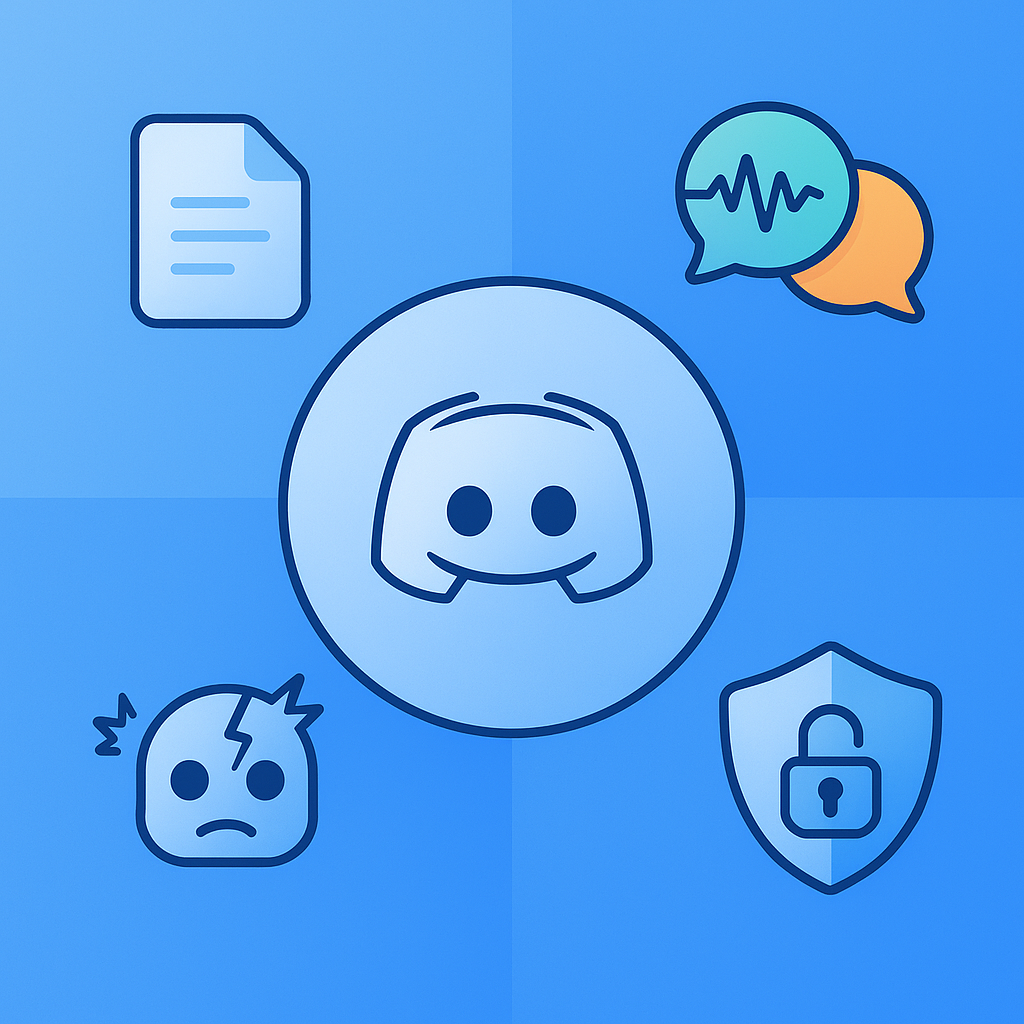
Knowledge loss is rampant. Communities lose valuable knowledge shared in voice channels because conversations are ephemeral by default. Once the call ends, decisions and context disappear unless someone manually documented them.
Multi-speaker chaos complicates transcription. "DiscMeet can record and transcribe group calls with multiple participants, identifying each speaker," notes the DiscMeet documentation. Without speaker attribution, transcripts become confusing walls of text.
Bot reliability varies. 41% of users report bot-related issues during meetings, according to Scribbl. Connection drops, audio glitches, and failed recordings undermine trust in automated systems.
Privacy and compliance gaps emerge. Teams handling sensitive discussions need transparent recording alerts and clear data retention policies. Many generic bots lack these safeguards.
Must-Have Features in a Discord Meeting Notes Bot
When evaluating a Discord meeting notes bot, prioritize these capabilities:
High transcription accuracy with speaker attribution. Odin AI advertises 96% speaker-tagged accuracy. Look for similar benchmarks when comparing options.
Automated action item and summary extraction. The best bots identify decisions and tasks automatically. DiscMeet, for example, uses AI to identify action items, decisions, and key discussion points.
Recording alerts. This feature shows all attendees when the AI note-taker is recording the session, as recommended by Slack's productivity research.
Multi-language support. Global teams need transcription in their native languages. Several bots now support 57 to 100+ languages.
Simple commands. Slash commands like
/joinand/leaveminimize friction. Setup should take minutes, not hours.Privacy controls. Audio deletion after processing and transparent data policies protect sensitive conversations.
Key takeaway: 78% of users achieve faster project turnaround when bots extract action items automatically, according to Scribbl.
7 Best AI Meeting Notes Bots for Discord (2025 Edition)
The following table compares leading Discord meeting notes bots based on features, pricing, and standout capabilities.
| Bot | Languages | Starting Price | Key Strength |
|---|---|---|---|
| Harmony | 57+ | Free trial | Discord-first with conversational search (AskHarmony) |
| NotesBot | 100+ | $3/mo | Budget-friendly with team-wide subscription sharing |
| DiscMeet | Multiple | Free trial | Notes posted directly in Discord threads |
| Heda | Multiple | $10/user/mo | Community knowledge graphs and flat per-server pricing |
| Odin | Multiple | Pro tier | 96% speaker-tagged transcription accuracy |
| Fireflies | 100+ | Free tier | Cross-platform with Zoom, Meet, and Teams support |
| Otter | Multiple | Free tier | Advanced AI workflows and CRM integrations |
Harmony
Harmony is built specifically for Discord voice channels, not adapted from generic meeting tools. The bot joins with a simple /record command and delivers multi-channel transcriptions with speaker analytics. AskHarmony lets users query meeting content in natural language, surfacing decisions and action items without scrolling through transcripts.
Setup takes under two minutes. The bot supports 57+ languages and includes a web dashboard for reviewing and exporting notes.
NotesBot
NotesBot records, transcribes, and summarizes Discord calls with support for over 100 languages. "You can set up NotesBot in a matter of just a couple of minutes," according to Alphr.
Pricing starts at $3/month for 5 hours and scales to $40/month for 100 hours. Teams can share one subscription across members using Discord roles, making it cost-effective for budget-conscious groups.
DiscMeet
DiscMeet automatically creates meeting notes from Discord calls. Action items, decisions, and summaries appear in Discord threads where teams can edit and add context.
The service handles group calls with speaker identification and works for everything from standups to DnD campaigns.
Heda
Heda transforms voice conversations into searchable knowledge with AI transcription and automatic action items. The platform uses a flat fee per server rather than per-user pricing.
"We've reduced repeated questions by 40% since our support sessions became searchable," reports one community leader on the Heda website.
Odin
Odin delivers speaker-tagged transcriptions with 96% accuracy and integrates with major conferencing apps. The Odin Automator shares meeting data with other platforms automatically.
Pro users get unlimited transcriptions and recordings with a centralized dashboard.
Fireflies
Fireflies is used across 1 million+ companies and offers unlimited transcription on free plans. The Pro tier ($10/month) adds unlimited AI summaries and 8,000 minutes of storage per seat.
While not Discord-native, Fireflies supports cross-platform teams that mix Discord with Zoom or Google Meet.
Otter
Otter.ai provides a free Basic plan with 300 monthly transcription minutes. The Business plan at $30/user/month includes unlimited meetings, custom AI workflows, and the ability to join three concurrent meetings.
Enterprise features include HIPAA compliance and CRM integrations.
Why Do Accuracy, Language Support & Privacy Matter Most?
Transcription accuracy determines whether notes are useful or frustrating. Modern speech-to-text models like Whisper are robust to background noise and moderate distortion, but accuracy still depends on audio quality and speaker overlap.
Language support enables global teams. Bots advertising 100+ languages let multinational communities document meetings without language barriers. Real-time transcription in over 20 languages is now table stakes for serious tools.
Privacy controls build trust. "Fellow never trains on your data," states the Fellow.ai website, highlighting a growing expectation. Look for bots that delete audio after processing and provide transparent recording indicators.
Key takeaway: Test accuracy with your team's actual audio conditions before committing to a paid plan.
How Do You Deploy an AI Note Taker in Your Discord Server?
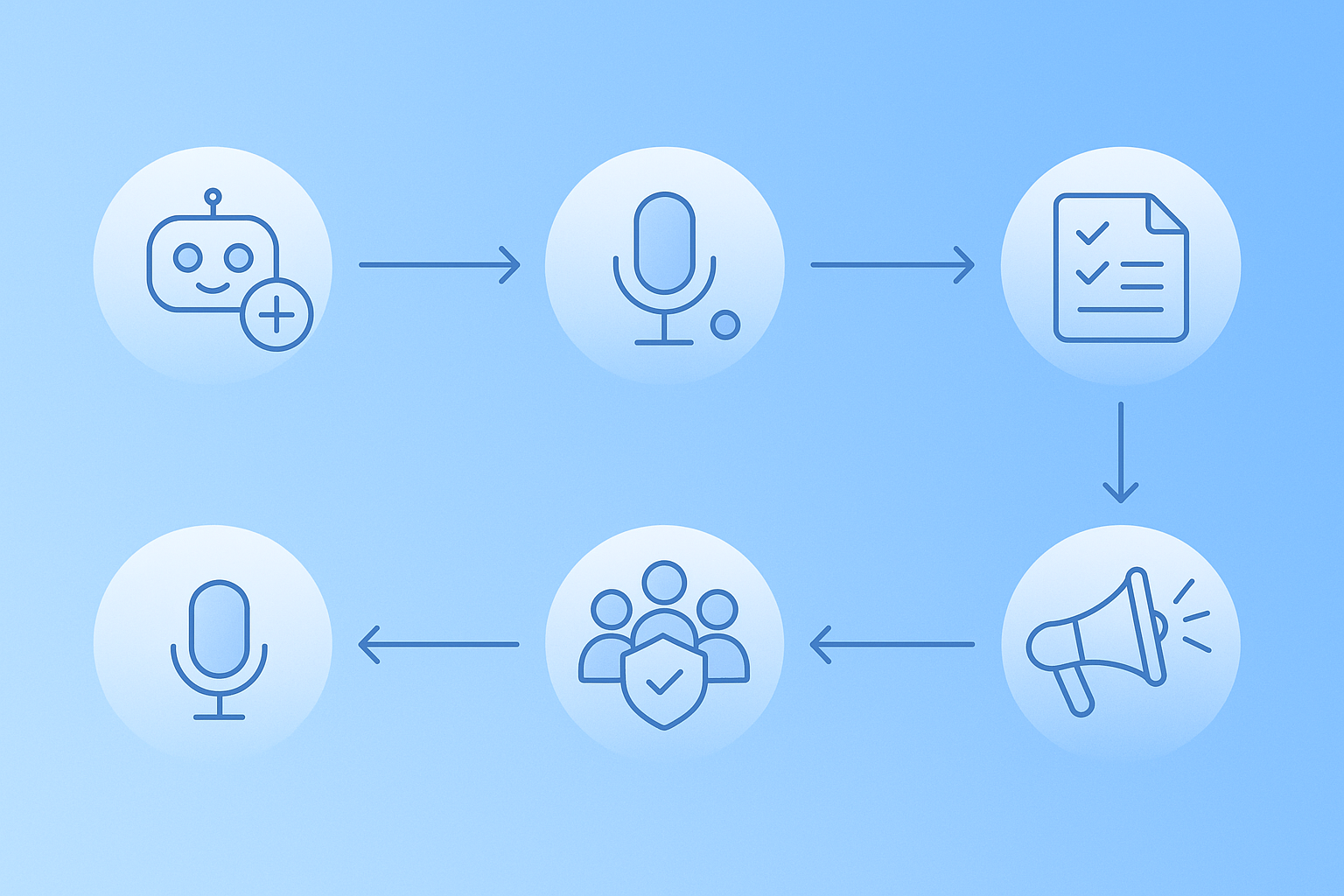
Follow these steps to get started:
Invite the bot. Visit the bot's website and click the invite link. Grant required permissions for voice channel access and message sending.
Configure settings. Use
/configto customize language, AI summarization style, and recording mode. NotesBot offers a 30-minute free trial to test features before subscribing.Start recording. Type
/join(or/recordfor Harmony) in a text channel while in a voice channel. The bot joins and begins transcribing.End and review. Type
/leaveor/stopto end the session. The bot delivers an AI summary with action items and a full transcript.Share access. For team-wide use, configure role-based access so recording alerts show all attendees when recording begins.
Communicate the change. Notify your team before the first recorded meeting. Transparency prevents awkward surprises and builds adoption.
Setup for Heda takes less than a minute with no configuration required. Most bots follow a similar pattern.
Choosing the Right Discord Note-Taking Bot for 2025 and Beyond
The right bot depends on your team's size, budget, and workflow.
Small teams on a budget should start with NotesBot's $3/month tier or free trials from Harmony and DiscMeet.
Global communities need 100+ language support from NotesBot, Fireflies, or Otter.
Privacy-focused organizations should prioritize bots that delete audio after processing and never train on user data.
Teams wanting Discord-native features will find Harmony's AskHarmony conversational search and speaker analytics purpose-built for the platform.
90% of all activity on Discord happens in small, intimate servers, according to The Verge. These close-knit teams benefit most from automated notes that preserve decisions without disrupting the casual culture that makes Discord effective.
Harmony offers a free trial for teams ready to stop losing valuable knowledge from their Discord calls. Simply invite the bot with /record to see how it performs in your next standup.
Frequently Asked Questions
What are the benefits of using AI meeting notes for Discord?
AI meeting notes for Discord automate the process of recording, transcribing, and summarizing calls, allowing participants to focus on discussions rather than note-taking. This leads to significant productivity gains, as teams can reclaim hours each week for more valuable work.
What challenges do Discord voice channels present for note-taking?
Discord voice channels often lead to knowledge loss as conversations are ephemeral. Multi-speaker chaos can complicate transcription, and bot reliability issues like connection drops can undermine trust. Privacy and compliance are also concerns without proper recording alerts and data policies.
What features should I look for in a Discord meeting notes bot?
Key features include high transcription accuracy with speaker attribution, automated action item extraction, recording alerts, multi-language support, simple commands, and robust privacy controls. These ensure effective and secure note-taking.
How does Harmony's AI meeting notes bot stand out?
Harmony is designed specifically for Discord, offering features like multi-channel transcriptions, speaker analytics, and AskHarmony for natural language queries. It supports 57+ languages and provides a quick setup, making it ideal for Discord-native teams.
Why is transcription accuracy important for AI meeting notes?
Transcription accuracy is crucial as it determines the usefulness of the notes. Accurate transcriptions ensure that the captured information is reliable and actionable, which is essential for effective decision-making and project management.
How can I deploy an AI note taker in my Discord server?
To deploy an AI note taker, invite the bot to your server, configure settings, and use commands like /join to start recording. After the session, review the AI-generated summary and transcript. Ensure team-wide access and communicate the change to your team for smooth adoption.
Sources
- https://notesbot.io/
- https://discmeet.com/discord-meeting-notes
- https://getodin.ai/note-taker
- https://www.scribbl.co/post/how-to-use-ai-to-take-meeting-notes-guide#:~:text=Bottom%20line%20for%20Discord:%20If,takers%20to%20capture%20voice%20discussions.
- https://slack.com/blog/productivity/ai-meeting-note-taker-how-it-works-and-features-to-look-for
- https://discmeet.com/discord-call-transcript
- https://www.alphr.com/how-to-use-discord-for-meetings-with-discord-notesbot/
- https://hedabot.com/
- https://fireflies.ai/pricing/
- https://otter.ai/pricing/meeting-agent
- https://diyai.io/ai-tools/speech-to-text/can-whisper-still-win-transcription-benchmarks/
- http://fellow.ai/
- https://www.theverge.com/apps/673208/discord-ai-forums-anniversary-gamechat