
MeetGeek not working for Discord? Best AI notetaker Discord alternatives
Discover why MeetGeek doesn't work with Discord and explore Harmony, the best AI notetaker alternative for seamless Discord integration.

MeetGeek not working for Discord? Best AI notetaker Discord alternatives
MeetGeek lacks any documented Discord integration, with its API endpoints designed for traditional video platforms, not Discord's voice channels. Purpose-built solutions like Harmony address this gap by implementing native Discord bot functionality, handling Opus packet decoding, and supporting 57+ languages with speaker attribution for accurate transcription.
At a Glance
• MeetGeek's documentation shows zero Discord support, focusing exclusively on Zoom, Google Meet, and Microsoft Teams integrations
• Discord's unique Opus audio codec and voice architecture require specialized handling that generic meeting tools don't provide
• The AI meeting assistant market is projected to reach $7.52 billion by 2029, yet Discord communities remain underserved
• Native Discord bots must handle WebSocket connections, UDP streams, and the upcoming DAVE encryption protocol for accurate transcription
• Harmony offers Discord-specific features including Opus packet corruption recovery, 57+ language support, and automatic summaries via simple /record commands
Finding a reliable Discord AI notetaker remains one of the biggest pain points for teams running meetings on the platform. While generic meeting assistants have matured for Zoom and Google Meet, Discord communities still struggle with fragmented audio, missing transcripts, and clunky workarounds. The good news: purpose-built solutions now exist that close this gap entirely.
Why do your Discord calls still lack reliable notes in 2026?
The AI note-taking market is booming. According to Technavio, the sector is set to grow by USD 821 million at a 21.3% CAGR from 2024 to 2029. Yet most of that growth targets traditional platforms.
Discord presents unique technical challenges. The discord.js voice system allows bots to join voice channels and play audio, but recording and transcribing that audio requires specialized handling. Generic tools designed for calendar-based meetings simply do not understand Discord's architecture.
Common frustrations include:
- Audio that cuts out mid-sentence
- Transcripts that misattribute speakers
- Bots that fail to rejoin after server region changes
- No automatic summaries or action items
These problems persist because most AI meeting assistants treat Discord as an afterthought rather than a first-class platform.
Does MeetGeek actually work with Discord voice?
Short answer: no. MeetGeek's public documentation reveals a tool built for traditional video conferencing, not Discord.
MeetGeek offers three API endpoints hosted in different regions (two in Europe, one in the United States), each requiring region-specific API keys. The documentation covers calendar integrations, meeting uploads, and webhook configurations. What it does not cover is any Discord voice channel support.
The platform's rate limits also hint at its intended use case. Free and Pro users face caps of "100 requests/day, 10 uploads/day," while Business and Enterprise tiers scale to "100 requests/minute, 10 uploads/minute." These limits work fine for scheduled meetings but create friction for always-on Discord communities.
MeetGeek uses token-based authentication for API access. This works well for integrating with calendar apps and CRMs. It does nothing to help a bot join a Discord voice channel and capture live audio.
No documented Discord endpoints
Searching MeetGeek's documentation for "Discord" returns zero results. The platform lists integrations with Zoom, Google Meet, Microsoft Teams, and various CRMs. Discord voice channels? Not mentioned.
The API authentication flow requires users to generate keys through the Integrations section, then include an Authorization header with Bearer tokens. This design assumes pre-scheduled meetings with known participants, not the spontaneous voice channels common in Discord servers.
Key takeaway: MeetGeek lacks any documented Discord voice integration, webhook support, or bot functionality.
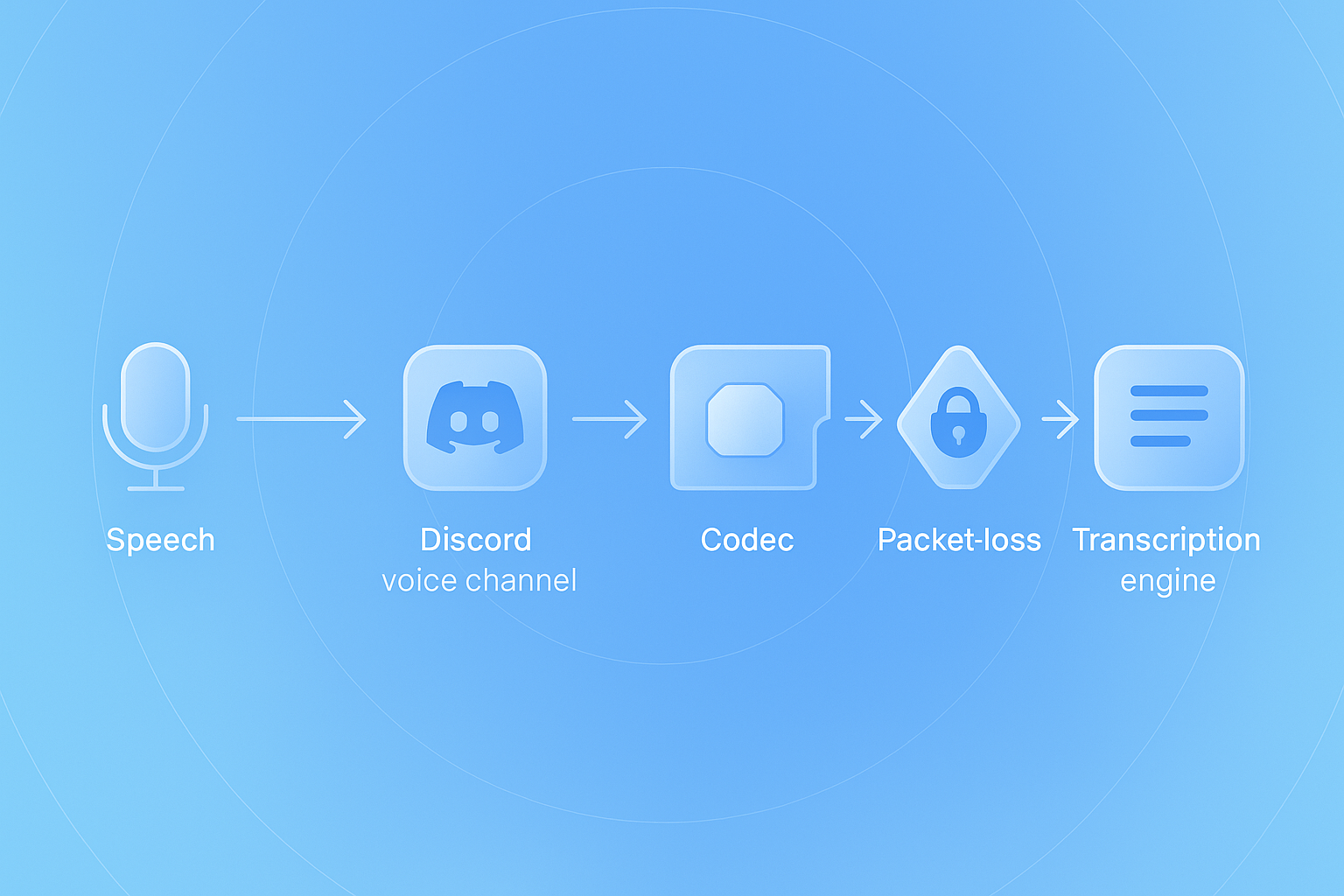
What technical hurdles block accurate Discord transcription?
Discord's voice infrastructure differs fundamentally from traditional video conferencing platforms. Understanding these differences explains why generic tools fail.
The Opus codec challenge
Discord transmits all voice audio using Opus, a lossy audio format that makes music playable over Discord. While Opus delivers excellent compression for real-time communication, it requires specialized decoding for transcription.
The Discord.js guide notes that FFmpeg can convert "hundreds of media formats to Opus" for playback. Recording works differently. Bots must handle incoming Opus packets, decode them properly, and manage the timing to reconstruct coherent audio streams.
End-to-end encryption changes everything
Discord's DAVE protocol whitepaper outlines major changes to voice security. WebRTC handles real-time communication while Messaging Layer Security (MLS) provides group key exchange.
The protocol timeline is critical:
- September 2024: Supporting clients began preferring end-to-end encryption
- 2025: All official Discord clients must support the protocol
Bots that do not implement DAVE properly may find themselves unable to access voice data at all. Generic meeting recorders built for other platforms have no roadmap for this Discord-specific requirement.
The @discordjs/voice package documentation confirms that "audio receive is not documented by Discord so stable support is not guaranteed." This warning applies to any tool attempting Discord transcription.
Why packet-loss ruins transcripts
Discord's support documentation describes a common audio input rate mismatch error that "occurs when Discord detects a significant difference in microphone input rate, often resulting in distorted audio (like 'robot voice' or slow speech)."
This distortion cascades through transcription. A speech-to-text engine receiving corrupted packets produces garbage output. Missing packets create gaps that break sentence structure. The result: transcripts that miss key decisions and action items.
Key takeaway: Accurate Discord transcription requires handling Opus decoding, DAVE encryption, and packet-loss recovery that generic tools do not provide.
How does Harmony fix Discord's audio problem?
Harmony takes a fundamentally different approach. Rather than adapting a generic meeting tool to Discord, Harmony was built specifically for Discord voice channels from day one.
Native Discord integration
Harmony uses the official @discordjs/voice library, which means it speaks Discord's native language. Some Discord clients already require the DAVE protocol for end-to-end encryption in voice chat. Harmony implements this protocol correctly.
The platform handles the technical challenges that break other tools:
- Opus packet decoding with corruption recovery
- Voice server region changes without dropping connections
- Multi-channel recording with speaker separation
- End-to-end encryption compatibility
Voice connections automatically try to re-establish when they move across channels or when the voice server region changes. Harmony inherits this resilience.
Privacy-first architecture
Harmony ensures that your data does not flow out of your private cloud. This matters for teams discussing sensitive roadmaps, customer issues, or internal operations. The platform can be deployed to existing infrastructure within a day.
Invite, /record, auto-summary under two minutes
Getting started with Harmony requires minimal setup:
- Add the Harmony bot to your Discord server
- Join a voice channel
- Type
/recordto start capturing - Type
/stopwhen finished - Receive your transcript, summary, and action items
Harmony manages your calendar, creates meeting prep docs, and executes post-meeting actions automatically. No configuration wizards. No API keys to manage. No waiting for scheduled meetings.
57+ languages and speaker analytics out of the box
Global teams need multilingual support. Zoom AI Companion offers real-time translation in 46 languages. Harmony supports 57+ languages with speaker attribution, making it one of the most comprehensive options for international Discord communities.
Speaker analytics help identify who said what during chaotic discussions. This proves essential for distributed teams where multiple conversations overlap.
Key takeaway: Harmony solves Discord transcription by building on Discord's native voice infrastructure rather than working around it.
What about Recall.ai, MeetingBot, and generic AI meeting assistants?
Several platforms offer meeting bot APIs, but their Discord support varies dramatically.
Recall.ai
Recall.ai provides meeting bots as a service. Their Meeting Bot API integrates products into Google Meet, Zoom, Microsoft Teams, Webex, Slack Huddles and GoTo Meeting with just a few lines of code.
Notice what is missing from that list: Discord.
Recall.ai runs "thousands of concurrent bots and process[es] billions of minutes in recording per year" while maintaining a 99.9% uptime SLA. Impressive infrastructure, but not useful for Discord communities.
MeetingBot (open source)
MeetingBot takes a different approach as an open-source project. It provides "a unified API for Zoom, Microsoft Teams, and Google Meet" with video, audio, transcripts, and metadata.
Again, no Discord support. The infrastructure is defined with Terraform and deployable on AWS, making it attractive for teams wanting self-hosted solutions. But teams using Discord must look elsewhere.
The AI meeting assistant market
The Business Research Company reports that the AI-powered meeting assistant market reached $2.53 billion in 2024 and projects growth to $7.52 billion by 2029. Major players include Zoom Communications, Otter.ai, and MeetGeek.ai.
Most of these tools target enterprise video conferencing. Discord communities, gaming organizations, and remote teams using Discord for daily standups remain underserved.
Voice layer vs. generic API hooks
The fundamental issue is architectural. Discord is known for its crisp, low-latency audio, thanks to the Opus codec it uses. Tools built for Zoom's architecture cannot simply adapt to Discord's voice layer.
Zoom's reputation is built on stable, high-definition video. Discord optimizes for persistent chat and spontaneous voice calls. These different priorities produce different technical requirements.
Generic meeting bots join video conferences through calendar invites and screen sharing. Discord bots must join voice channels directly, handle WebSocket connections to the Voice Gateway, and manage UDP streams through the Selective Forwarding Unit.
Key takeaway: Generic meeting assistants optimize for scheduled video calls, not Discord's always-on voice channels.
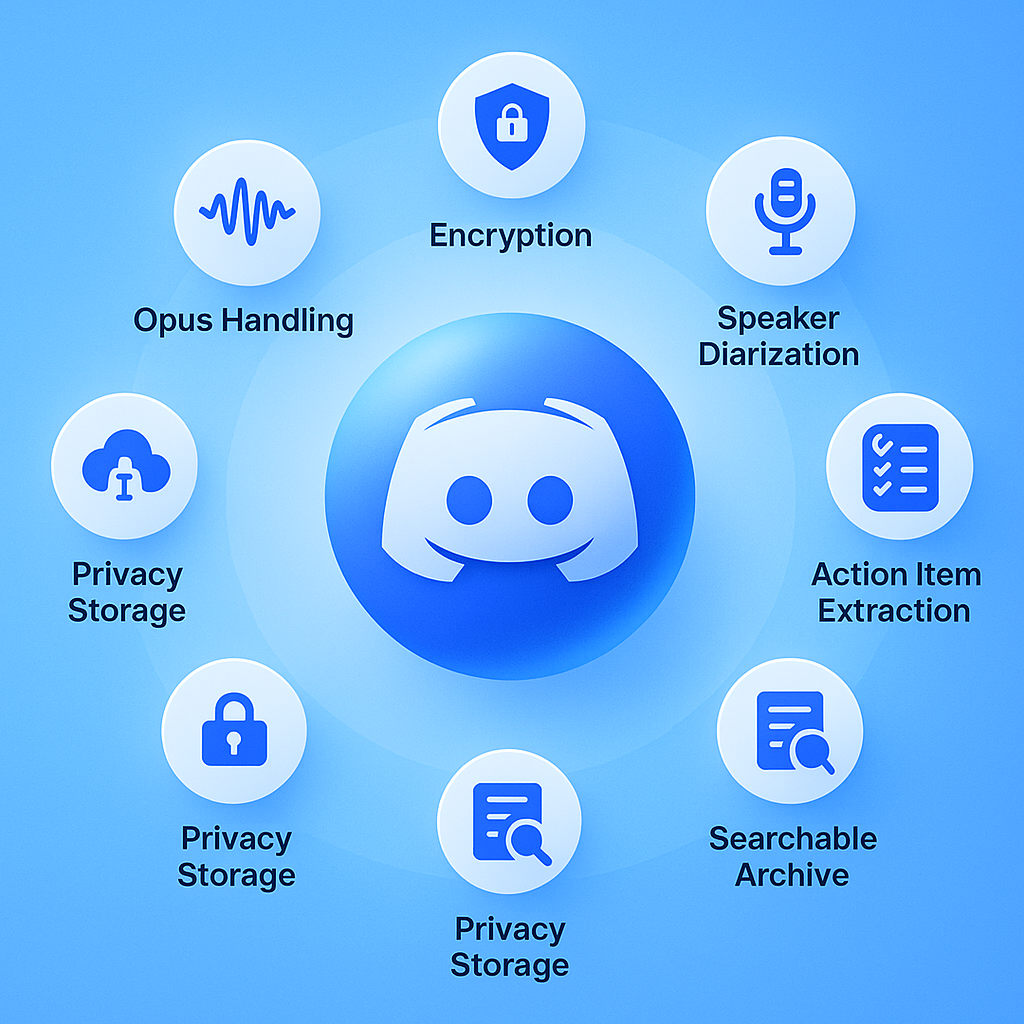
Checklist: 8 features to demand from a Discord AI notetaker in 2026
When evaluating Discord transcription tools, use this checklist to separate capable solutions from marketing hype:
| Feature | Why it matters |
|---|---|
| Native Discord bot | Must join voice channels directly, not through screen sharing |
| Opus packet handling | Prevents "robot voice" and missing audio segments |
| DAVE protocol support | Required for end-to-end encrypted channels in 2025+ |
| Speaker diarization | Attributes speech to correct participants |
| Multilingual transcription | Supports global and multilingual communities |
| Action item extraction | Turns discussions into assignable tasks |
| Searchable transcript archive | Enables finding past decisions quickly |
| Privacy-compliant storage | Keeps sensitive discussions secure |
Discord's support documentation warns that audio capture can fail if Discord cannot detect your microphone or if stream processing encounters internal issues. A robust notetaker must handle these edge cases gracefully.
Recall.ai's diarization documentation explains that hybrid diarization "uses a combination of Speaker-Timeline and Machine Diarizations for the meeting's join pattern." This approach works well for video calls where participants join from separate devices. Discord voice channels often have users on shared devices or switching between mobile and desktop, requiring more sophisticated handling.
Research from Microsoft on meeting recaps found that "an effective recap requires deciding what and how much should be summarized and what structure the recap should take." The best AI notetakers provide both quick highlights and detailed hierarchical views.
Stop losing your Discord decisions and start capturing them today
Discord has evolved far beyond gaming. Engineering teams run standups. Community managers coordinate events. DAOs conduct governance discussions. These conversations deserve the same AI-powered documentation that Zoom and Google Meet users take for granted.
MeetGeek and similar tools serve their intended audience well. That audience simply does not include Discord users. No amount of workarounds changes the fundamental mismatch between calendar-based meeting recorders and Discord's voice channel model.
Harmony helps you follow-up on time and keep everything on track with native Discord integration. The bot joins your voice channels, handles the technical complexity of Opus decoding and DAVE encryption, and delivers speaker-attributed transcripts in 57+ languages.
Setup takes under two minutes. Harmony manages your calendar, creates meeting prep docs, and executes post-meeting actions so you can focus on the conversation rather than scrambling to capture it.
Your Discord meetings matter. Start capturing them properly.
Frequently Asked Questions
Why doesn't MeetGeek work with Discord?
MeetGeek is designed for traditional video conferencing platforms and lacks support for Discord's unique voice channel architecture. It does not provide the necessary integration to join and record Discord voice channels, making it unsuitable for Discord users.
What makes Harmony a better choice for Discord users?
Harmony is built specifically for Discord, using native integration to handle Opus packet decoding, DAVE encryption, and speaker separation. It provides accurate transcriptions and AI summaries, making it a reliable choice for Discord communities.
How does Harmony handle Discord's technical challenges?
Harmony uses the @discordjs/voice library to manage Opus packet decoding and DAVE encryption, ensuring accurate transcription. It also handles voice server region changes and provides multi-channel recording with speaker separation.
What features should I look for in a Discord AI notetaker?
Key features include native Discord bot integration, Opus packet handling, DAVE protocol support, speaker diarization, multilingual transcription, action item extraction, searchable transcript archives, and privacy-compliant storage.
How does Harmony ensure privacy and security for Discord meetings?
Harmony ensures that data does not leave your private cloud, providing a secure environment for sensitive discussions. It can be deployed to existing infrastructure, maintaining privacy and compliance.
Sources
- https://docs.meetgeek.ai/
- https://v12.discordjs.guide/voice/understanding-voice.html
- https://www.thebusinessresearchcompany.com/report/artificial-intelligence-ai-powered-meeting-assistants-global-market-report
- https://www.technavio.com/report/ai-note-taking-market-industry-analysis
- https://docs.meetgeek.ai/getting-started/limits
- https://docs.meetgeek.ai/getting-started/authorization
- https://daveprotocol.com/
- https://discord.js.org/docs/packages/voice/main
- https://support.discord.com/hc/en-us/articles/30952914470807-Discord-Audio-and-Video-Error-Codes-Troubleshooting-Guide
- https://discordjs.guide/voice/
- https://www.discordjs.guide/voice/voice-connections
- https://getharmony.ai/
- https://www.zoom.com/en/products/ai-assistant/features/accessibility/
- https://www.recall.ai/product/meeting-bot-api
- https://meetingbot.tech/
- https://www.eesel.ai/blog/discord-vs-zoom
- https://docs.recall.ai/docs/diarization
- https://arxiv.org/html/2307.15793v3