
Otter doesn't work with Discord? Harmony's AI notetaker is built for recording Discord calls
Discover why Otter doesn't work with Discord and how Harmony's AI notetaker excels in recording and transcribing Discord calls.
Otter Doesn't Work with Discord? Harmony's AI Notetaker Is Built for Recording Discord Calls
Otter lacks native Discord integration because it's built for calendar-based platforms like Zoom and Teams. Discord's always-on voice channels use Opus codec over UDP, causing packet loss that generic recorders can't handle. Harmony's Discord-native bot joins channels directly via /record command, applying packet-loss concealment to capture accurate transcripts in 57+ languages.
TLDR
- Otter officially supports Zoom, Microsoft Teams, Google Meet but has no Discord voice channel access
- Discord's Opus audio codec creates packet corruption that standard meeting recorders miss
- The Zapier "integration" only copies text messages, not audio, with 15-minute polling delays
- Harmony's purpose-built bot handles Discord's technical quirks including Opus packet-loss recovery
- Teams report 40% fewer repeated questions after making Discord conversations searchable
- Setup takes 2 minutes: invite bot, type
/recordto start capturing voice channels
Discord audio behaves very differently from Zoom or Meet, so an Otter Discord integration is far trickier than most people think. This post unpacks why generic recorders fail and how Harmony's purpose-built bot captures every word.
Why Recording Discord Calls Is Different from Zoom & Meet
Discord started as a free communication app for gamers and has since grown into the place where 90 percent of all activity happens in small, intimate servers. Unlike Zoom or Google Meet, Discord voice channels are always on, ideal for spontaneous drop-ins rather than scheduled calendar events.
That design difference creates real headaches for traditional meeting recorders. Most AI notetakers rely on calendar integrations and scheduled invites. Discord's always-on voice model doesn't fit that paradigm.
There are also deeper technical challenges. Discord streams audio using the Opus codec over UDP, which prioritizes low latency over guaranteed delivery. Packets can arrive out of order, get dropped, or become corrupted in transit. Generic transcription tools built for Zoom's proprietary stack or Meet's WebRTC layer simply weren't engineered for these quirks.
If you've searched for an Otter Discord integration, you've likely discovered there isn't a native one. The next section explains exactly why.
Why Otter Still Can't Join a Discord Voice Channel
Otter's official features page lists integrations for Zoom, Microsoft Teams, Google Meet, but Discord is nowhere on that list. The app can sync with Google Calendar and Microsoft Outlook, auto-join video calls on supported platforms, and deliver live transcription to participants. None of that works inside a Discord server.
Without a native bot that can enter a voice channel, Otter has no way to capture the audio stream. You can't simply paste a meeting link and expect OtterPilot to show up the way it does for a Zoom webinar.
Some users attempt workarounds, but the limitations are significant:
- No voice-channel access: Otter never hears what's said because it can't join Discord audio.
- No speaker attribution: Even if you manually upload a recording later, you lose the real-time speaker labels that make transcripts useful.
- No live collaboration: Teammates can't highlight or comment on the transcript as the meeting unfolds.
For teams that run daily stand-ups, community AMAs, or gaming sessions on Discord, these gaps aren't minor inconveniences. They're deal-breakers.
The Zapier "Integration": 15-Minute Polling ≠ Real-Time
If you search hard enough, you'll find a Zapier page that claims to connect Discord and Otter.ai. The description sounds promising: "Zapier makes it easy to integrate Discord with Otter.ai - no code necessary."
Look closer, though, and you'll see the trigger is "New Message Posted to Channel," not "New Voice Session Started." The action is "Import New Recordings Into Otter," which assumes you already have a recording file to upload.
Here's the bigger problem: Zapier checks for new data every 15 min on the Free plan. That polling delay means:
- Spontaneous voice discussions are never captured in real time.
- Text-based triggers miss audio entirely.
- By the time the Zap fires, the conversation may be long over.
This isn't a true integration. It's a workaround that copies chat messages, not audio, into Otter. For teams that need live transcription during Discord calls, it simply doesn't deliver.
Discord's Opus Packets & Why Most Recorders Lose Words
Discord uses the Opus codec for voice. Opus is flexible, supporting bitrates from 6 kbit/s to 510 kbit/s, and it can encode frames as short as 2.5 ms. That flexibility is great for low-latency chat but creates challenges for transcription tools.
When packets travel over UDP, some inevitably get lost or corrupted. The Opus decoder can enable forward error correction (FEC) and set the expected packet loss percentage, but generic recorders often skip these steps. The result is garbled audio and higher word error rates.
Developers on Discord.js forums frequently report issues. One user described the problem bluntly: "I have a problem with decoding Opus packets received from AudioReceiveStream using OpusEncoder from @discordjs/opus." Raw PCM files created from those packets often play back as corrupted noise unless the decoder handles format conversion properly.
Research backs this up. Studies on multi-channel Opus compression for automatic speech recognition show that transform coding improves WER for all bitrates with relative gains up to 6.7 %, with the largest gains at the lowest bitrates. In other words, proper codec handling can meaningfully improve transcription accuracy.
Key takeaway: If your recorder doesn't account for Opus packet loss and FEC, you'll miss words, and those gaps compound over a long meeting.
What's New in Packet-Loss Concealment (PLC)?
Packet-loss concealment algorithms have improved dramatically. A hybrid neural PLC architecture developed by Amazon researchers ranked second in the Interspeech 2022 PLC Challenge by combining generative and predictive models to synthesize missing speech.
These techniques matter for Discord transcription. Real-time voice communication over the Internet relies on best-effort protocols like RTP/UDP, where latency is prioritized over reliability. Modern PLC algorithms can fill in the gaps left by dropped packets, keeping transcripts coherent even on unstable connections.
Discord-native bots that implement FEC and advanced PLC can achieve noticeably cleaner audio before the speech-to-text engine ever runs.
How Harmony's Discord-Native Bot Captures Every Word
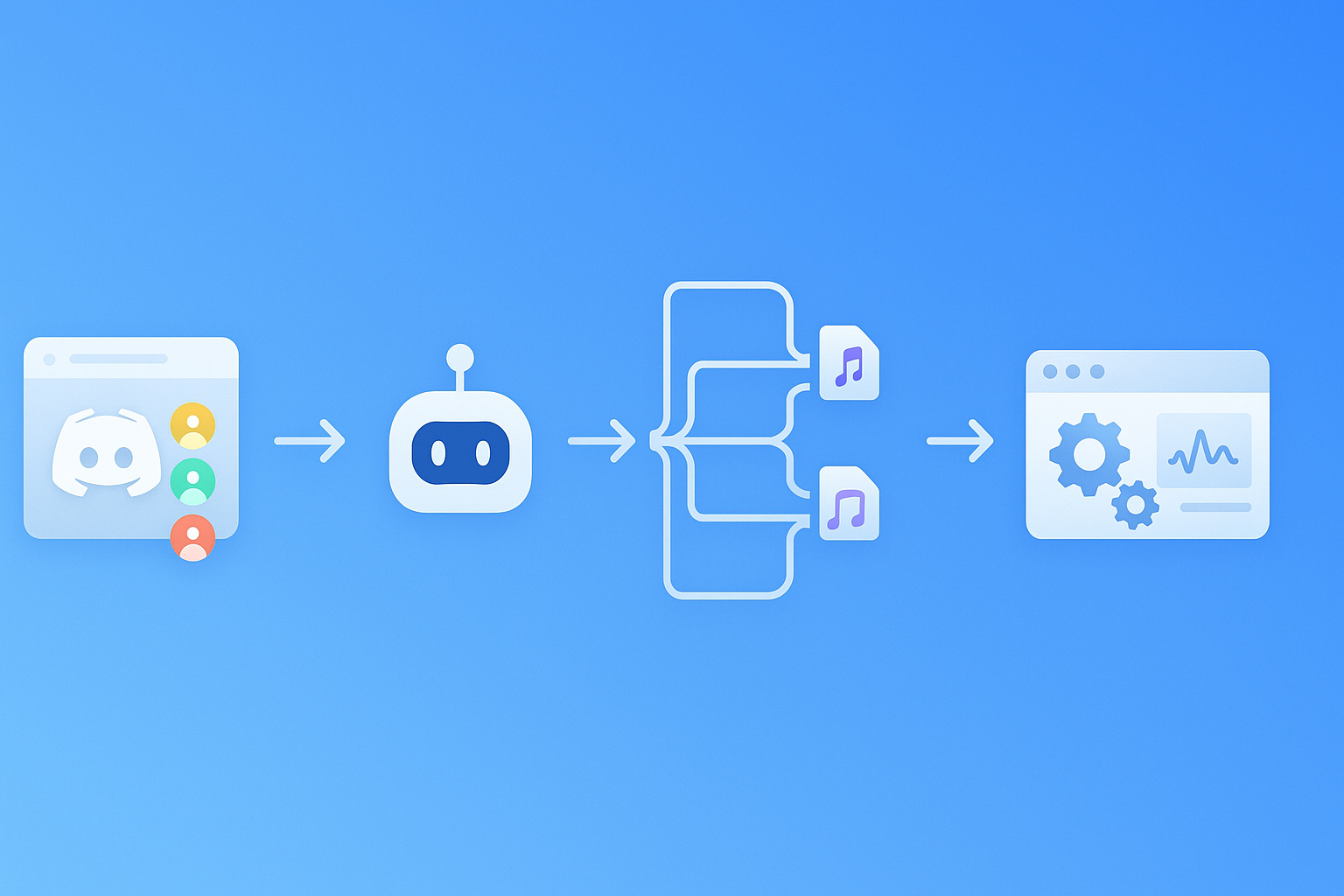
Harmony was built specifically for Discord. The bot joins your voice channel with a simple /record command, captures each speaker on separate tracks, and processes the audio through an engine optimized for Opus streams.
Here's how it works:
- Add the bot to any server (up to 100 servers on a single account).
- Type
/recordin your current voice channel to start capturing. - Type
/stopwhen the meeting ends to trigger transcript and summary generation.
Because Harmony is built specifically for Discord communities, not adapted from meeting tools, it handles the platform's unique audio stack from the ground up. That includes:
- Multi-channel recording: Each participant's audio is captured separately, improving speaker attribution.
- Opus-aware decoding: The bot applies FEC and PLC safeguards to recover dropped packets.
- Web dashboard: Transcripts, summaries, and analytics are accessible in a centralized interface.
The result is a transcript that reflects what was actually said, not a garbled approximation.
57+ Languages Without Switching Bots
Global teams shouldn't have to juggle multiple bots for different languages. Harmony supports transcription in 57+ languages with automatic detection, making it suitable for international communities.
Other Discord transcription tools offer similar breadth. NotesBot, for example, advertises 102 languages with automatic detection. High-accuracy languages like English, Spanish, and German typically achieve around 10% word error rate, while less common languages may see higher error rates.
Harmony's single-bot approach means you don't need to reconfigure settings when a French speaker joins a predominantly English call. The system detects the language shift and continues transcribing.
Feature Shoot-Out: Harmony vs Otter vs Generic Discord Bots
How do the options stack up? The table below compares key capabilities.
| Feature | Harmony | Otter.ai | Generic Discord Bots |
|---|---|---|---|
| Joins Discord voice channels | Yes | No | Varies |
| Real-time transcription | Yes | Yes (Zoom/Meet only) | Some |
| Multi-language support | 57+ languages | English, Spanish, French | Up to 100+ |
| AI summaries & action items | Yes | Yes | Some |
| Opus packet-loss handling | Yes | N/A | Rarely |
| Speaker analytics | Yes | Yes | Some |
| Pricing | Free tier; Pro at $10/seat | Free tier; Pro ~$17/month | $3–$40/month |
Otter excels on traditional video platforms. G2 reviewers praise its ease of use with a score of 9.1, and transcription accuracy scores around 8.8. But without Discord support, those strengths don't translate.
Generic Discord bots like NotesBot offer recording and summarization, but many lack the codec-level optimizations that prevent lost words. Pricing varies widely, from $3/month for 5 hours to enterprise tiers.
AI Summaries & Action Items: Who's Most Detailed?
Summary quality varies. In a comparison test of six AI notetakers during a Zoom call, one reviewer noted: "I love the way Otter does summaries. I have like a whole sentence here, some action items, and then there's an outline."
Otter's summaries are strong, but they're only useful if the tool can access your meeting in the first place. For Discord, that's the gap Harmony fills.
Harmony generates detailed AI summaries with speaker attribution and action plans. Users report saving over four hours weekly by automating transcription and follow-up tasks. When the transcript is accurate, the summary is too.
When Discord Teams Win Back Hours with Real-Time Notes
Who benefits most from a Discord-native notetaker? Here are three common scenarios.
Daily stand-ups for remote engineering teams: One Heda user reported that their community "reduced repeated questions by 40%" after making support sessions searchable. When developers can search yesterday's stand-up instead of pinging teammates, everyone moves faster.
Community AMAs and town halls: Large servers host live Q&A sessions that generate valuable knowledge. Without transcription, that knowledge evaporates. A Discord bot that joins the call, transcribes in real time, and posts a summary afterward turns ephemeral conversations into a searchable archive.
Accessibility and ADHD-friendly workflows: Transcripts help teammates who process information better via text. As one developer put it, after adopting an AI transcription workflow, "meeting clarity shot up, and my weekly status prep time fell by about 80%." They also noted getting "~4x more context out of the same meeting time" because they could always re-check the transcript.
For individuals with attention differences or hearing impairments, automated capture removes the burden of manual note-taking and ensures nothing important slips through.
Choosing the Right Notetaker for a Discord-First Workflow
If your team lives in Discord, a meeting recorder designed for Zoom won't cut it. Otter is a capable tool on its supported platforms, but it simply can't join a Discord voice channel.
Harmony's Discord-native bot fills that gap. It handles Opus packet corruption, supports 57+ languages, and delivers AI summaries and action plans within minutes of ending a call. Setup takes about two minutes: invite the bot, type /record, and you're capturing.
For teams ready to stop losing knowledge in voice channels, Harmony offers a free tier with 60 minutes of transcription to get started. Pro plans at $10 per seat unlock 600 minutes and priority support.
Discord conversations don't have to disappear. With the right tool, every decision, idea, and action item stays searchable and shareable.
Frequently Asked Questions
Why doesn't Otter work with Discord?
Otter lacks a native integration with Discord, meaning it cannot join voice channels to capture audio. It relies on calendar integrations and scheduled invites, which don't align with Discord's always-on voice model.
How does Harmony's AI notetaker handle Discord's unique audio challenges?
Harmony's bot is specifically designed for Discord, handling Opus packet loss and using forward error correction to ensure accurate transcription. It captures each speaker on separate tracks, improving speaker attribution.
What are the limitations of using Zapier to connect Discord and Otter?
Zapier's integration is limited to text-based triggers and doesn't capture real-time audio. It checks for new data every 15 minutes, which means spontaneous voice discussions are not recorded in real time.
How does Harmony support multilingual transcription?
Harmony supports transcription in 57+ languages with automatic detection, allowing seamless transitions between languages during a call without needing to switch bots.
What are the benefits of using Harmony for Discord-based teams?
Harmony offers real-time transcription, AI summaries, and action plans, making it ideal for teams that use Discord for meetings. It helps retain knowledge from voice channels, making conversations searchable and actionable.
Sources
- https://www.ietf.org/rfc/rfc6716.txt
- https://harmonynotetaker.ai
- https://otter.ai/features
- https://zapier.com/apps/discord/integrations/otterai
- https://hedabot.com/
- https://www.theverge.com/apps/673208/discord-ai-forums-anniversary-gamechat
- https://discord-player.js.org/api/opus/classes/OpusDecoder
- https://www.answeroverflow.com/m/1341582312227209216
- https://arxiv.org/pdf/2106.07994
- https://assets.amazon.science/41/c1/5650d1214f919a168f4b6c1ddfec/real-time-packet-loss-concealment-with-mixed-generative-and-predictive-model.pdf
- https://www.notesbot.io/languages
- https://zackproser.com/blog/granola-vs-otter
- https://www.g2.com/compare/descript-vs-otter-ai
- https://notesbot.io/
- https://gotranscript.com/public/comparing-ai-note-taking-apps-otter-fireflies-fathom-and-more
- https://www.otter.ai/
- https://zackproser.com/blog/ai-assisted-note-taking