
Searchable Discord transcripts: AI notetaker for Discord knowledge
Transform Discord voice calls into searchable, actionable knowledge with Harmony's AI-driven transcription and Smart Search features.

Searchable Discord transcripts: AI notetaker for Discord knowledge
Harmony transforms Discord voice conversations into searchable, indexed transcripts with Smart Search and AskHarmony, enabling natural language queries across past meetings. Unlike basic MP3 storage or generic tools that achieve 90-93% accuracy, Discord-native AI captures speaker context and decisions in seconds, not hours of manual review.
TLDR
• Discord voice conversations vanish after calls end, leaving teams without documentation of decisions and action items
• Basic cloud storage of MP3 files fails because it's not searchable, speaker-aware, or summarized—forcing teams to spend 4+ hours weekly summarizing calls
• Harmony's Smart Search uses vector indexing and natural language processing to surface answers from past meetings in seconds
• AskHarmony provides conversational AI that answers questions directly with citations, eliminating keyword guesswork
• Discord-native integration captures voice channel audio automatically, while generic tools like Otter and Fireflies require workarounds
• Real-time transcription delivers searchable archives minutes after meetings end, supporting 57+ languages
Teams running standups, AMAs, or strategy sessions on Discord face a common problem: the moment a voice call ends, the conversation vanishes. Important decisions, action items, and nuanced discussions live only in the memories of participants, if they remember at all.
Simply dumping audio files into a cloud folder does not solve this. What teams need is searchable Discord transcripts, voice recordings transformed into indexed, query-ready text that anyone can search, summarize, and act upon weeks or months later.
Harmony is the AI layer that makes this possible. By joining Discord voice channels, transcribing speech in real time, and enriching transcripts with speaker labels and semantic indexing, Harmony converts ephemeral conversations into institutional knowledge. Features like Smart Search and AskHarmony let users query past meetings in natural language, surfacing decisions and action items in seconds instead of hours.
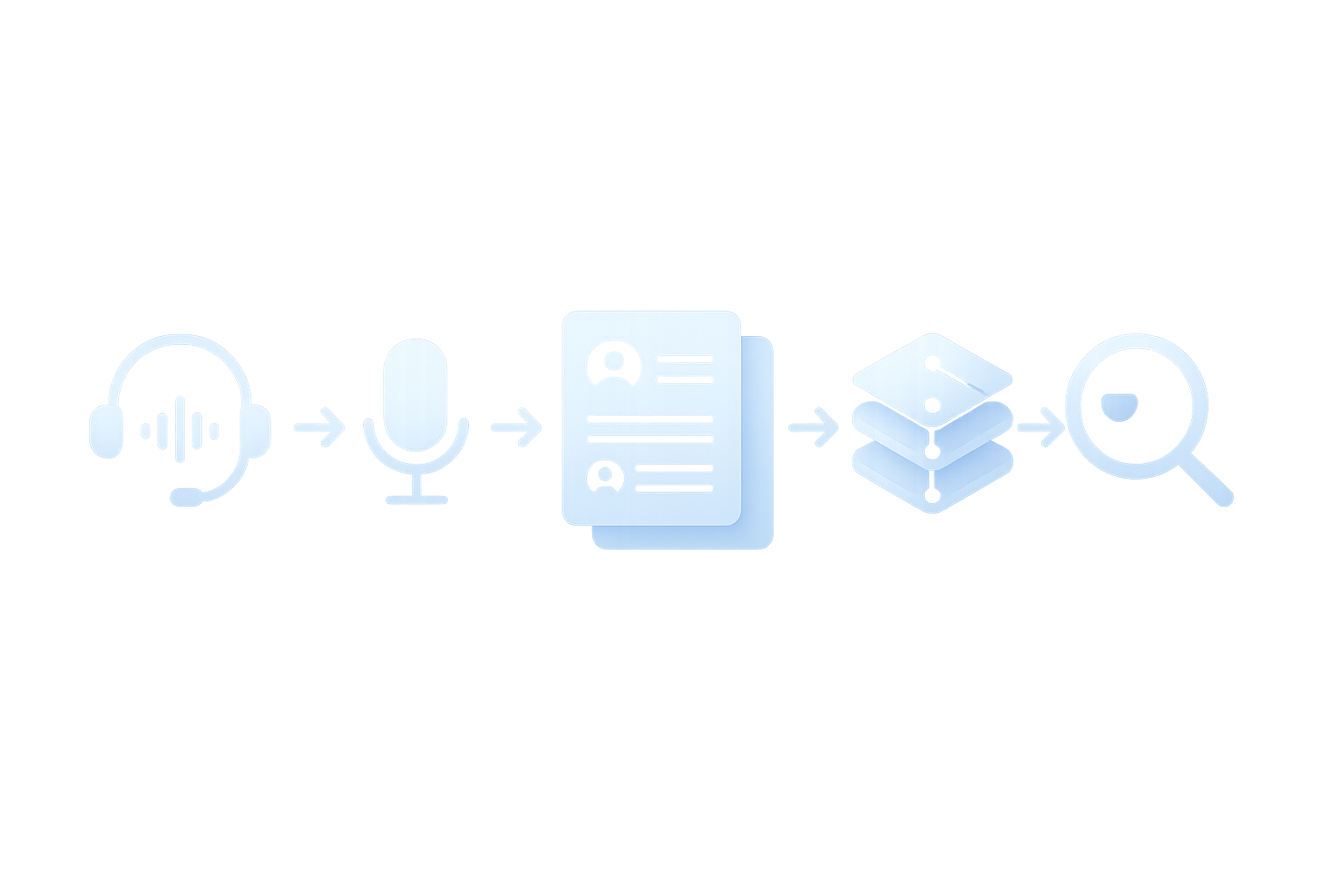
From raw logs to usable knowledge: what "searchable Discord transcripts" really mean
A searchable transcript is not just a wall of text. It is a structured, indexed document that captures who said what, when, and in what context.
The average knowledge worker spends 21.5 hours per week in meetings, yet most of those conversations result in scattered notes, missed action items, and forgotten decisions. When meetings happen on Discord, the problem compounds: native Discord search covers text messages, but voice channels leave no trace unless recorded and processed.
Discord itself solved a similar challenge for text by building a search system that indexes billions of messages. Their infrastructure can handle a peak rate of 30,000 messages per second, demonstrating that large-scale indexing is technically feasible, but only if the data is text-based.
A modern knowledge base does not just organize information; it delivers answers within your workflow when you need them. For Discord communities, this means turning voice into text, then text into something searchable, summarized, and actionable.
Key takeaway: Searchable transcripts are the bridge between ephemeral voice conversations and permanent, queryable knowledge.
Why does basic storage fail teams and communities?
Many teams attempt a DIY approach: record calls with a bot, upload MP3 files to Google Drive, and hope someone will listen later. This workflow has serious limitations.
The accuracy problem
AI transcription tools often advertise "95–98% accuracy," but on real-world audio, accuracy often drops sharply, sometimes below 80%. Noise, accents, jargon, and overlapping speakers are the biggest accuracy killers.
Even at 98% accuracy, a 1,000-word transcript contains around 20 errors. In a technical discussion, those errors can land on the most important terms.
The productivity drag
When deleting documents from a Meili index, disk space usage remains the same. Raw storage engines are not designed for retrieval; they hold data but do not help you find it.
Leaders feel the pain: 53% say productivity must increase, but 80% of the global workforce say they are lacking enough time or energy to do their work. Searching through hour-long recordings is exactly the kind of low-value task that drains teams.
| Approach | Searchable? | Speaker-aware? | Summarized? |
|---|---|---|---|
| MP3 in cloud folder | No | No | No |
| Manual transcript | Yes (with effort) | Maybe | No |
| AI notetaker with indexing | Yes | Yes | Yes |
Key takeaway: Basic storage preserves audio but does not make it usable. Teams need transcription, indexing, and summarization working together.
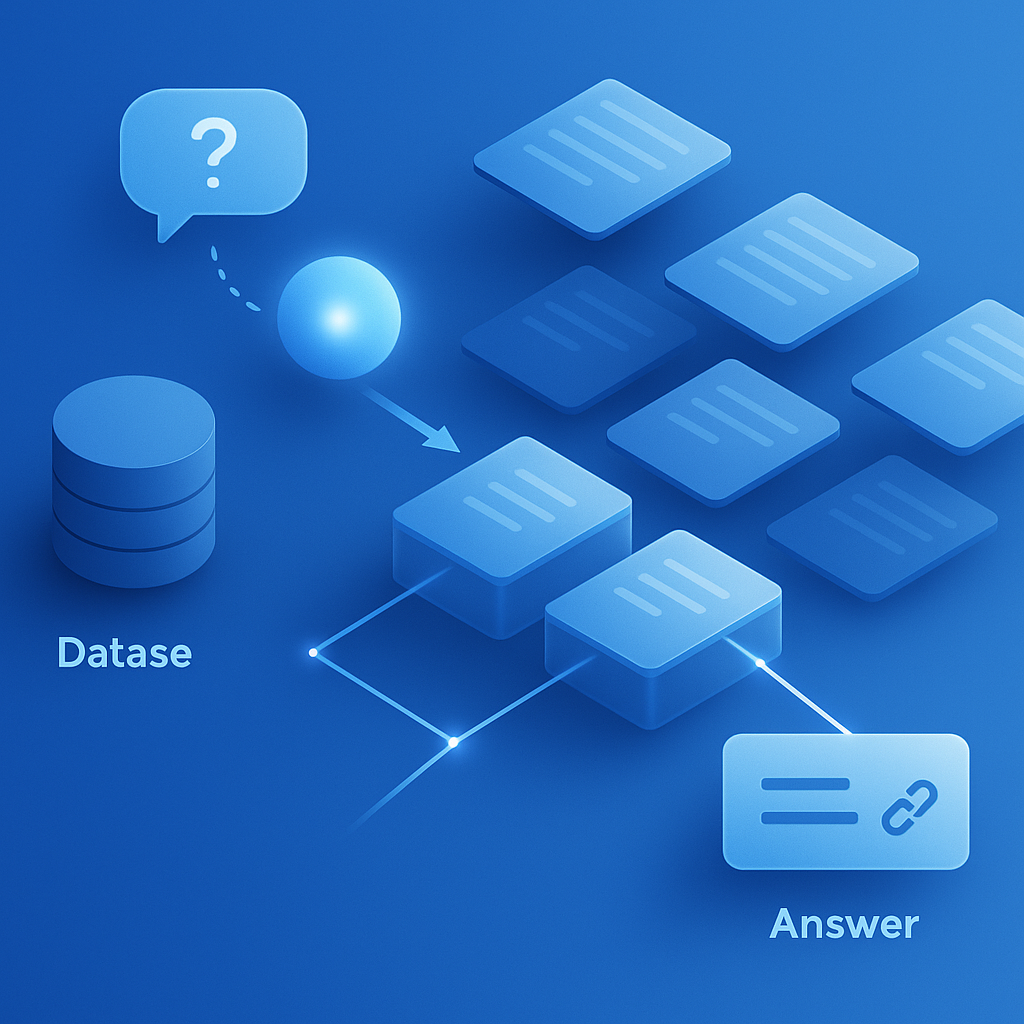
How does Harmony's Smart Search surface answers in seconds?
Smart Search combines vector indexing with speaker-aware transcripts to let users query meetings in natural language.
How it works
AI-powered search in Elastic is built on vector technology, which uses machine learning models to capture meaning in content. Instead of matching keywords, the system understands intent.
Natural language search accepts simple English queries instead of complex search syntax. Users can ask "What did we decide about the roadmap?" rather than guessing which keywords to combine.
Speaker diarization makes sure action items are appropriately assigned. When you search for a decision, Smart Search can show you exactly who made it.
Performance at scale
DataStax achieved lower query latency and less disk I/O through inline vector storage. The same principles apply to Harmony: vectors are stored alongside transcripts so retrieval happens in milliseconds, not seconds.
How transcripts are chunked & enriched
Before search can work, transcripts need structure.
Elastic supports automatic shard rebalancing, allowing clusters to scale as data grows. Harmony's indexing pipeline follows a similar pattern: transcripts are split into speaker-labeled segments, each segment is embedded as a vector, and metadata like timestamps and channel IDs are attached.
The decomposition process works in several stages: first, the system identifies and extracts different types of content, then it processes them through specialized AI models. For meeting transcripts, this means separating speaker turns, detecting topics, and flagging action items.
AskHarmony: natural-language answers instead of keyword hunts
AskHarmony is a conversational interface layered on top of Smart Search. Instead of scanning search results, users ask questions and receive direct answers with citations.
Why questions beat keywords
"In the era of artificial intelligence, questions are the new way to find information," as Slack's engineering team has noted. Semantic search understands the meaning of a phrase even if the user does not use the exact words.
Large language models now support context windows of tens or even hundreds of thousands of tokens, meaning an entire meeting transcript can fit in a single query. AskHarmony uses this capacity to answer questions that span multiple speakers and topics.
Real-world value
McKinsey estimates that gen AI enterprise use cases could yield $2.6 trillion to $4.4 trillion annually in value across more than 60 use cases. Meeting intelligence is one of the highest-impact categories because it touches every team.
Retrieval-augmented generation under the hood
Retrieval-augmented generation (RAG) is what makes enterprise search both powerful and trustworthy. The system retrieves relevant transcript chunks, then generates an answer grounded in those chunks.
Because answers include citations, users can verify claims by clicking through to the source. This addresses the hallucination risk that plagues pure-LLM systems. Harmony's RAG pipeline uses the same AI-powered search foundations that power enterprise tools, adapted for Discord's unique channel structure.
Accuracy, speed, language coverage: where Harmony's AI leads
Transcription accuracy determines whether a searchable transcript is actually useful.
Benchmarks that matter
AssemblyAI reports a 93.32% Word Accuracy Rate and 30% fewer transcription errors than alternatives. Harmony builds on similar speech-to-text foundations, tuned for the acoustics of Discord voice channels.
ElevenLabs' Scribe v2 Realtime achieves 93.5% accuracy across 30 commonly used European and Asian languages. Multilingual support matters for global communities where participants switch languages mid-conversation.
Deepgram Nova-3 delivers transcripts in under 300 milliseconds, meeting the threshold that real-time voice agents demand. Fast transcription means summaries are ready by the time a meeting ends.
Why accuracy compounds
Small accuracy gains have outsized effects. A 5% improvement means hundreds fewer errors in a long meeting. When those errors land on names, numbers, or technical terms, the difference between 90% and 95% accuracy is the difference between a usable transcript and one that needs manual correction.
Harmony supports 57+ languages, matching the coverage of leading speech APIs while adding Discord-specific optimizations like noise handling for open-mic channels.
How does Discord-native AI compare to generic meeting tools?
The integration gap
Generic tools like Fireflies, Otter, and Fathom target Zoom, Google Meet, and Teams. They work well on those platforms but require workarounds to join Discord calls.
Otter.ai established itself as the premier meeting transcription specialist, serving over 3 million users with laser focus on transcription accuracy. However, it does not natively integrate with Discord voice channels.
Heda, a Discord-native alternative, is built specifically for Discord communities, not adapted from meeting tools. It provides real-time transcription and searchable archives, but lacks the conversational query layer that AskHarmony offers.
Notion AI requires a Business plan at $20/month for meeting transcription features. It excels at workspace integration but assumes meetings happen on standard conferencing platforms.
Where Harmony fits
| Tool | Discord-native | Natural-language query | Pricing model |
|---|---|---|---|
| Fireflies | No | Limited | Per-seat |
| Otter | No | Limited | Per-seat |
| Heda | Yes | No | Per-server |
| Harmony | Yes | Yes (AskHarmony) | Per-seat |
Harmony combines Discord-native recording with semantic search and conversational AI, a combination that generic tools do not offer.
Bringing Smart Search to your server: setup & best practices
Getting started with Harmony takes minutes, not hours.
Step 1: Add the bot
Invite Harmony to your Discord server. Setup requires no configuration; the bot appears in your member list and waits for commands.
Discord compared Elastic and Solr when building their own search and went with Elastic for ease of horizontal scaling. Harmony's backend uses similar scalable infrastructure, so adding more servers does not degrade performance.
Step 2: Start recording
Join a voice channel and type /record. Harmony joins and begins transcribing. When the meeting ends, type /stop. The transcript is processed, indexed, and available for search within minutes.
Discord analytics tools like Blaze and Statbot provide granular retention metrics, but they focus on text engagement. Harmony fills the gap for voice channels, turning spoken discussions into searchable records.
Step 3: Measure ROI
Track how often team members search past meetings. Millions of users send billions of messages on Discord every month; even a small community generates enough voice data to justify indexing.
The Realtime API can be used for transcription-only use cases, either with input from a microphone or from a file. Harmony abstracts this complexity, handling audio ingestion, transcription, and indexing automatically.
Best practices
Use quality microphones. Background noise degrades accuracy.
Establish recording norms. Let participants know when recording starts.
Review summaries weekly. Catch errors early and refine custom dictionaries.
Search before asking. Encourage team members to query past meetings before pinging colleagues.
Privacy, compliance, and user trust
Recording conversations raises legitimate concerns. Harmony addresses them through technical and policy safeguards.
Data handling
"We do not store or retain the raw audio files from your sessions," states one provider's privacy policy. Harmony follows a similar approach: audio is transcribed, then discarded. Only text transcripts and metadata persist.
Microsoft's Dragon Copilot anonymizes customer data within 90 days and trains AI models solely on anonymized data. Harmony applies comparable retention policies, ensuring that sensitive discussions do not linger indefinitely.
Enterprise controls
AssemblyAI maintains SOC 2 compliance and zero data retention policies for enterprise customers. Harmony supports similar controls, including granular permissions that let server admins decide which channels can be recorded.
Opt-out mechanisms matter. Users should be able to exclude their speech from AI training, and admins should be able to delete transcripts on request.
Turning Discord chatter into institutional memory
Voice conversations contain some of the most valuable knowledge in any organization: candid feedback, real-time decisions, and the reasoning behind choices. Without transcription and indexing, that knowledge evaporates.
Harmony's combination of Smart Search and AskHarmony transforms Discord voice channels from ephemeral chat rooms into permanent, queryable archives. Teams can type /join (or /record in Harmony's case) to begin capturing discussions immediately.
The result is a workflow where decisions have documentation, action items are traceable, and new team members can onboard by searching past meetings instead of asking the same questions again.
"Assembly is instrumental in our transcription process, providing crucial input for our LLM API to process further. It's become an integral part of our workflow."
— Krish Ramineni, CEO and co-founder, Fireflies.ai
If your team runs meetings on Discord and wants to stop losing knowledge to the void, Harmony offers a path forward. Add the bot, record your next call, and start building a searchable archive of everything your team discusses.
Frequently Asked Questions
What are searchable Discord transcripts?
Searchable Discord transcripts are indexed, structured documents that capture voice conversations from Discord, allowing users to search, summarize, and act on them later. They include speaker labels and semantic indexing for easy retrieval of information.
How does Harmony's Smart Search work?
Harmony's Smart Search uses vector indexing and speaker-aware transcripts to allow users to query meetings in natural language. It understands the intent behind queries, providing quick access to decisions and action items from past meetings.
Why is basic storage insufficient for Discord meetings?
Basic storage, like saving MP3 files in a cloud folder, does not make audio content searchable or actionable. Teams need transcription, indexing, and summarization to transform raw audio into usable knowledge.
What makes Harmony's AI notetaker unique for Discord?
Harmony is designed specifically for Discord, offering native integration with voice channels. It combines transcription, semantic search, and conversational AI, features that generic meeting tools do not provide.
How does Harmony ensure privacy and compliance?
Harmony transcribes audio and then discards the raw files, retaining only text transcripts and metadata. It follows strict data handling policies, similar to those of other enterprise solutions, to ensure user privacy and compliance.
Sources
- https://assemblyai.com/blog/top-ai-notetakers
- https://aloa.co/ai/comparisons/ai-note-taker-comparison/otter-ai-vs-notion-ai
- https://www.assemblyai.com/blog/top-ai-notetakers
- https://discord.com/blog/how-discord-indexes-billions-of-messages
- https://slack.com/blog/collaboration/what-is-knowledge-base
- https://gotranscript.com/blog/ai-transcription-accuracy-benchmarks-2026
- https://www.meilisearch.com/docs/learn/engine/storage
- https://www.microsoft.com/en-us/worklab/work-trend-index/
- https://elastic.co/docs/solutions/search/ai-search/ai-search
- https://docs.liquidmetal.ai/concepts/smartbuckets/
- https://www.assemblyai.com/solutions/conversation-intelligence
- https://opensearch.org/blog/datastax-case-study/
- https://slack.com/blog/transformation/evolution-of-enterprise-search
- https://aclanthology.org/2025.coling-main.28.pdf
- https://www.mckinsey.com/industries/technology-media-and-telecommunications/our-insights/the-promise-and-the-reality-of-gen-ai-agents-in-the-enterprise
- https://assemblyai.com/solutions/ai-notetakers
- https://elevenlabs.io/blog/introducing-scribe-v2-realtime
- https://deepgram.com/learn/speech-to-text-benchmarks
- https://hedabot.com/
- https://blog.bytebytego.com/p/how-discord-indexes-billions-of-messages
- https://withblaze.app/blog/discord-analytics-tools-for-tracking-server-stats-and-community-growth
- https://platform.openai.com/docs/guides/realtime-transcription
- https://harmonyus.co/privacy-policy/
- https://learn.microsoft.com/en-us/industry/healthcare/dragon-copilot/about/privacy