
What is an AI notetaker for Discord? Complete guide
Discover how AI notetakers for Discord enhance productivity by automating transcription and summaries directly within your voice channels.

What is an AI notetaker for Discord? Complete guide
An AI notetaker for Discord is a bot that joins your voice channel, automatically records conversations, and produces transcripts and summaries without leaving the platform. These tools help teams reclaim hours lost to manual note-taking, with the average knowledge worker spending 21.5 hours per week in meetings. Discord-native solutions like Harmony support 57+ languages and deliver results directly in your server through slash commands.
TLDR
- Discord AI notetakers join voice channels via slash commands like
/recordand automatically capture, transcribe, and summarize conversations - Native bots outperform generic tools on integration and pricing, with many offering free tiers versus $240 per user annually for cross-platform alternatives
- Setup takes about 2 minutes: invite the bot, configure noise suppression, and start recording with simple commands
- Real-world transcription accuracy ranges from 85% to 95% depending on audio conditions, not just marketing claims
- Future developments include agentic AI that autonomously creates tasks and follows up, moving beyond passive note-taking
An AI notetaker for Discord removes the hassle of manual note-taking by joining your voice channel, transcribing speech, and returning instant summaries-all inside the chat you already use.
What is an AI notetaker for Discord?
An AI notetaker for Discord is a bot that joins your voice channel, automatically records the conversation, converts speech to text, and produces searchable summaries and action items-all without leaving the Discord workspace. By removing manual note-taking, it helps teams reclaim hours otherwise lost in meetings and lets every participant stay engaged rather than scribbling notes.
The need for these tools is significant. The average knowledge worker spends 21.5 hours per week in meetings, leaving little time for deep work. Discord-native AI notetakers address this productivity drain by handling transcription and summarization automatically.
As one community leader managing a 25,000+ member gaming server put it: "Before Harmony I'd forget half of what we discussed in officer meetings. Now it's all there." - Harmony
These bots record, transcribe, and summarize Discord calls with AI, turning fleeting voice conversations into permanent, searchable records.
How do Discord-native AI notetakers work?
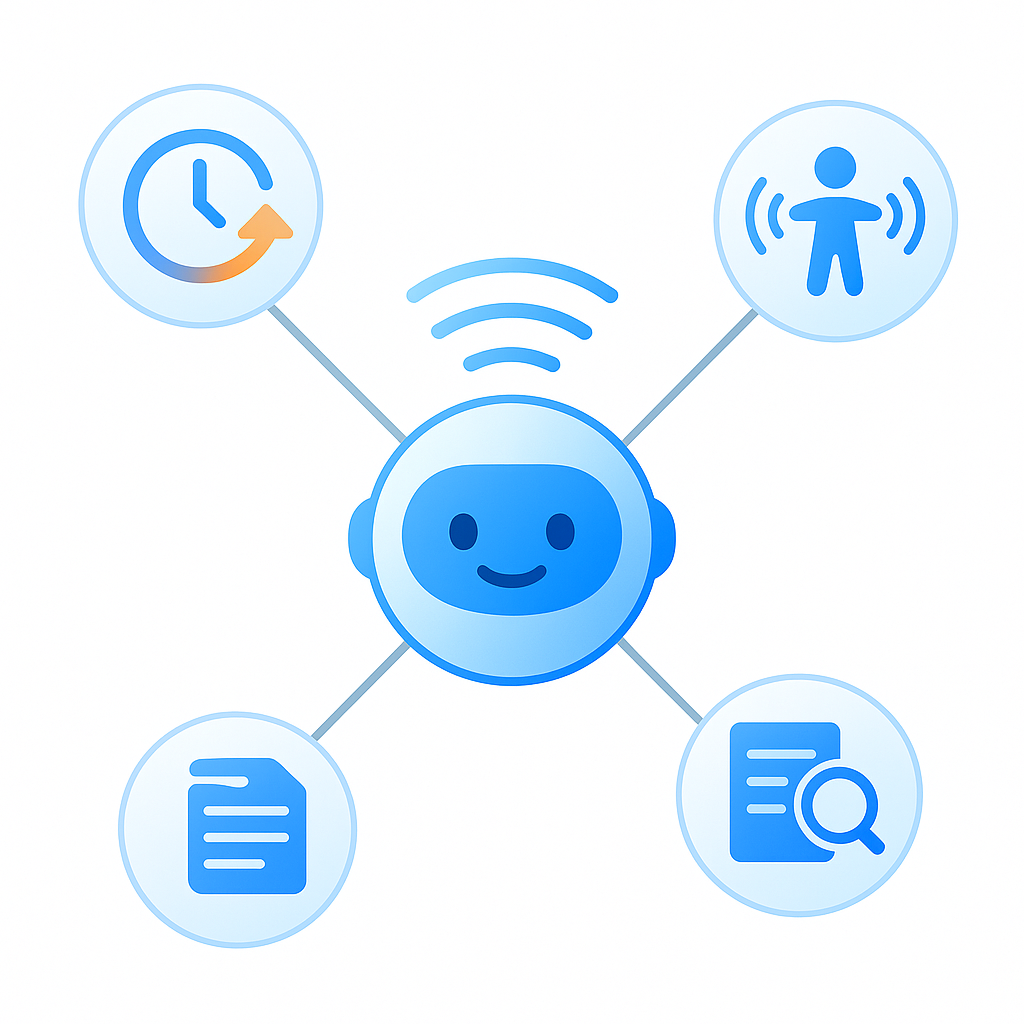
Discord-native AI notetakers follow a straightforward workflow:
- Join the voice channel – You invite the bot and trigger it with a slash command like
/record - Record and transcribe – The bot captures audio from all participants and converts speech to text in real time
- Generate summaries – AI processes the transcript to extract key points, decisions, and action items
- Deliver results – Transcripts and summaries appear in your dashboard or as a direct message
Core features
| Feature | What it does |
|---|---|
| Automated recording & joining | Bot joins on command, no manual setup |
| AI call transcription | Converts speech to searchable text |
| Multi-channel support | Works across different voice channels |
| AI summaries | Distills conversations into key takeaways |
| Speaker analytics | Shows who spoke and for how long |
| Multi-language transcription | Supports 57+ languages for global teams |
To set up Krisp noise suppression alongside transcription, select Krisp Microphone and Speaker in Discord under User Settings > Voice & Video. This ensures cleaner audio reaches the transcription engine.
Key takeaway: Discord-native notetakers embed directly into your server, handling everything from recording to summarization without requiring external apps.
Why do teams prefer Discord-native note taking?
Teams choose Discord-native tools over generic alternatives for several compelling reasons:
Productivity gains
- 47% of digital workers struggle to find information they need-including details from meetings
- Native bots eliminate context switching by keeping transcripts inside Discord
- AI summaries surface action items automatically, so nothing falls through the cracks
Accessibility benefits
One user shared their experience: "I have ADHD and cannot take notes while also trying to contribute to the conversation. Harmony means I can actually be present and still have everything captured." - Harmony
For individuals with attention challenges or hearing impairments, automated capture removes a significant barrier to participation.
Clarity for large communities
Gaming guilds and community servers run frequent officer meetings where decisions happen fast. Native notetakers ensure those decisions become permanent records that moderators can reference later.
Krisp's noise cancellation adds another layer of clarity. It provides noise-free meetings automatically recorded and summarized with AI, filtering out barking dogs and keyboard clatter so transcripts stay accurate.
Key takeaway: Native tools boost productivity, improve accessibility, and keep large communities organized without adding friction.
Discord-native vs. generic AI meeting assistants: which is better?
Discord-native bots embed directly in your server: you trigger them with slash commands like /record and get transcripts, speaker labels, and summaries right back in chat. Cross-platform assistants such as Otter or Fireflies rely on external integrations, may miss Discord-specific audio cues, and often charge higher tiers for features a native bot delivers out of the box.
How they compare
| Criteria | Discord-native | Generic tools |
|---|---|---|
| Setup | Bot invite, slash commands | Calendar sync, external app |
| Audio capture | Direct from Discord voice | Screen share or virtual device |
| Pricing | Often free tier available | Typically starts at $10-20/user/month |
| Platform fit | Built for Discord UX | Designed for Zoom, Meet, Teams |
Otter.ai established itself early in the AI transcription space and continues to lead with reliable accuracy and broad platform integration-but it does not natively support Discord voice channels.
Accuracy benchmarks
Transcription accuracy matters. According to the Zoom AI Performance Report, Zoom leads with a word error rate (WER) of 7.40%, followed by Webex at 10.16% and Microsoft at 11.54%. While these benchmarks focus on enterprise platforms, they illustrate the importance of evaluating WER before committing to any tool.
Generic assistants like Fireflies.ai hold a 4.8 out of 5 rating on G2, while Otter.ai sits at 4.3 out of 5. On pricing, Otter's entry-level business plan costs $240 per user per year, whereas many Discord-native bots offer meaningful free tiers.
Key takeaway: If your team lives on Discord, a native bot offers tighter integration and often better value than retrofitting a generic tool.
How do you evaluate transcription accuracy, privacy & more?
Before choosing an AI notetaker, run it through a checklist that reflects your real-world conditions.
Accuracy metrics
Word Error Rate (WER) calculates the number of incorrect words in a transcript. A lower WER signifies higher accuracy. Marketing claims often cite up to 95% accuracy, but real-world performance typically ranges from 85% to 95% depending on audio quality, accents, and background noise.
Always test with your own meeting recordings to verify accuracy under your conditions.
Privacy considerations
- Does the bot process audio locally or in the cloud?
- Is data shared with third parties?
- Can you configure transcript retention policies?
Practical testing
- Record a 10-minute call with typical background noise
- Compare the transcript against what was actually said
- Note how well the tool handles speaker overlap and technical jargon
Key takeaway: Don't rely on marketing claims-test accuracy and privacy policies with your own audio before rolling out to your team.
Which AI notetakers for Discord are worth considering?
Several Discord-native bots stand out, along with a few cross-platform tools that can connect via workarounds.
Discord-native options
| Tool | Key features | Pricing |
|---|---|---|
| Harmony | 57+ languages, speaker analytics, AskHarmony chat | Free (60 min), Pro $10/seat |
| NotesBot | 100+ languages, MP3 recordings, team-wide access | Free trial, plans from $3/mo |
| SeaVoice | Real-time transcription, SRT export, deep learning models | Free |
Harmony is trusted by 6,000 users and lets teams start recording in about two minutes.
NotesBot offers call MP3 and transcript downloads alongside AI summaries, making it easy to archive recordings.
SeaVoice provides real-time speech transcriptions delivered to a chat channel as conversations happen, with a final transcript sent via DM after sessions end.
Cross-platform alternatives
Otter.ai is available on iOS, Android, and Web, integrating with Zoom, Microsoft Teams, and Google Meet. It does not natively join Discord voice channels but can capture audio via virtual devices.
Key takeaway: For Discord-first teams, Harmony, NotesBot, and SeaVoice offer the most seamless experience.
How do you set up an AI notetaker on Discord?
Getting started with a Discord-native notetaker typically takes just a few minutes.
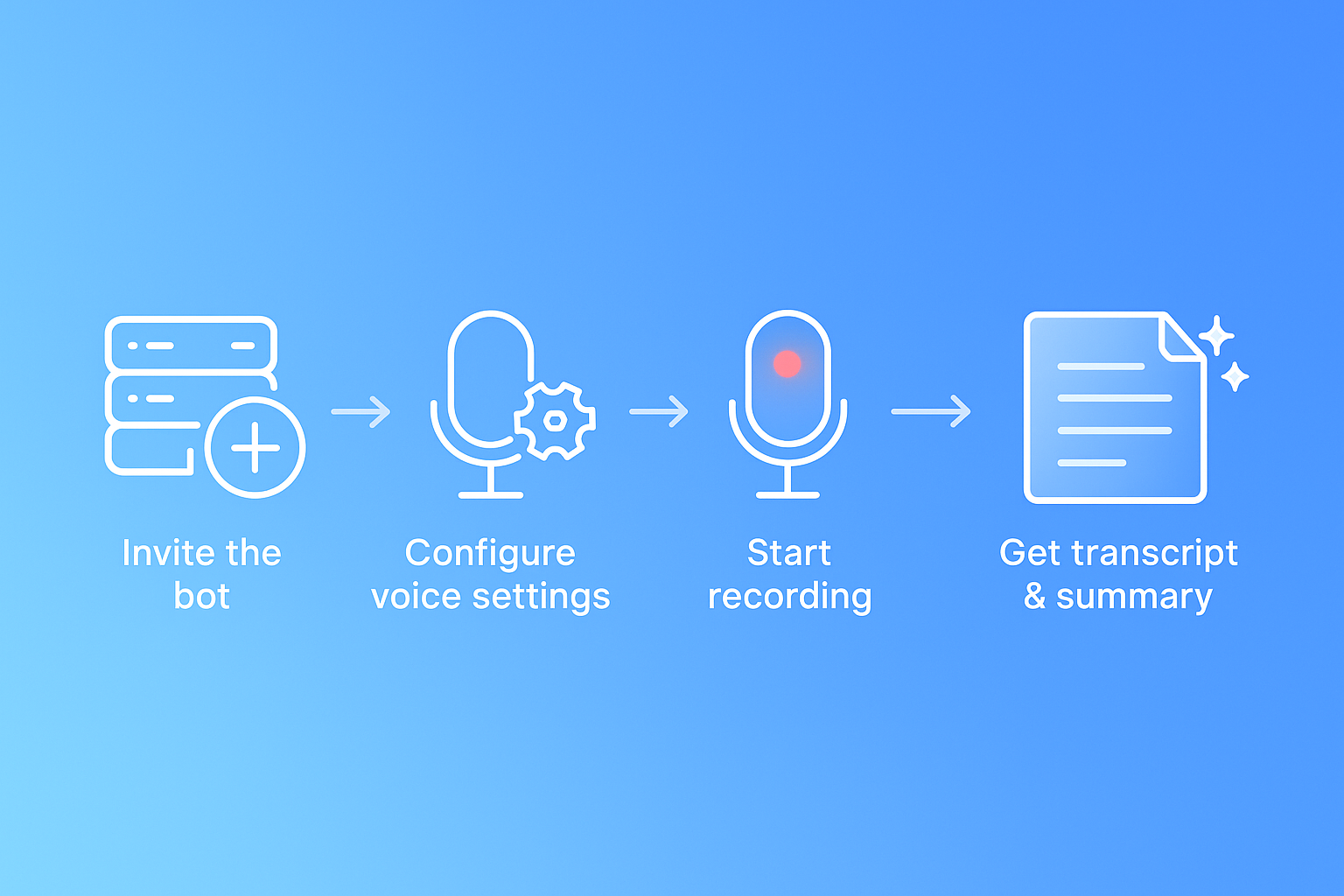
Step-by-step setup
- Invite the bot – Click the invite link on the bot's website and authorize it for your server
- Configure voice settings – If using Krisp for noise suppression, go to User Settings > Voice & Video and enable Krisp Noise Suppression in Discord's advanced settings
- Start recording – Join a voice channel and type the slash command (e.g.,
/joinor/record) - Stop and receive results – Type
/leaveor/stopto end recording and get AI summary
For SeaVoice, use /recognize [language] to start real-time transcription, and /stop to end the session.
Best practices
- Inform participants – Let everyone know the call is being recorded
- Use push-to-talk or noise suppression – Cleaner audio means better transcripts
- Review summaries promptly – Catch any AI errors while the meeting is fresh
- Set up Krisp properly – Select Krisp Microphone and Speaker in Discord's voice settings to maximize audio quality
Key takeaway: Setup is fast, but taking a few extra minutes to configure noise suppression and inform participants pays off in transcript quality.
What's next for AI notetakers on Discord: Agentic AI & voice enhancements?
The future of AI notetakers extends beyond passive transcription toward autonomous action.
Agentic AI on the horizon
Gartner predicts that by 2028, 33% of enterprise software applications will include agentic AI, and at least 15% of work decisions will be made autonomously through such systems. For Discord notetakers, this could mean bots that not only summarize meetings but also create tasks, update project boards, and follow up with participants-all without human prompting.
Agentic AI will introduce a goal-driven digital workforce that autonomously makes plans and takes actions as an extension of the human workforce.
Voice clarity improvements
Krisp's AI Voice SDK is already deployed on more than 200 million devices, processing 75 billion minutes of speech every month. Features like voice isolation, turn-taking prediction, and accent conversion will continue to improve transcription accuracy-even in noisy Discord channels.
Key takeaway: Expect future notetakers to move from capturing information to acting on it, while voice AI continues to push accuracy higher.
Key takeaways
- An AI notetaker for Discord joins your voice channel, records, transcribes, and summarizes-all inside the platform you already use
- Discord-native bots offer automated recording and joining, eliminating the friction of external tools
- Native solutions outperform generic alternatives on integration, pricing, and ease of use for Discord-centric teams
- Always evaluate transcription accuracy with your own audio; real-world performance varies by conditions
- Setup takes minutes: invite the bot, configure noise suppression, and start recording
For teams that run standups, officer meetings, or community calls on Discord, a purpose-built notetaker like Harmony delivers the fastest path from conversation to searchable record. The bot records, transcribes, and summarizes Discord calls with AI-so you can focus on the discussion instead of taking notes.
Frequently Asked Questions
What is an AI notetaker for Discord?
An AI notetaker for Discord is a bot that joins voice channels to record conversations, transcribe speech to text, and generate summaries, all within the Discord platform. This tool helps teams save time and stay engaged by automating the note-taking process.
How do Discord-native AI notetakers work?
Discord-native AI notetakers work by joining a voice channel upon command, recording the conversation, transcribing the audio in real-time, and generating summaries. The results are delivered directly in Discord, making it easy to access and review meeting content.
Why do teams prefer Discord-native note-taking tools?
Teams prefer Discord-native tools because they integrate seamlessly into the platform, eliminating the need for external apps. These tools improve productivity by keeping transcripts within Discord, enhance accessibility for users with attention challenges, and provide clarity for large communities.
How do Discord-native bots compare to generic AI meeting assistants?
Discord-native bots offer tighter integration with the platform, using slash commands for easy operation and providing features like speaker labels and summaries directly in chat. Generic tools often require external integrations and may not capture Discord-specific audio cues as effectively.
What are some recommended AI notetakers for Discord?
Recommended AI notetakers for Discord include Harmony, NotesBot, and SeaVoice. These tools offer features like multi-language support, speaker analytics, and real-time transcription, providing a seamless experience for Discord-first teams.
How can I set up an AI notetaker on Discord?
To set up an AI notetaker on Discord, invite the bot to your server, configure voice settings for noise suppression, and use slash commands to start and stop recordings. Inform participants about the recording and review summaries promptly for best results.
Sources
- https://www.assemblyai.com/blog/top-ai-notetakers
- https://harmonynotetaker.ai/
- https://www.g2.com/products/otter-ai/reviews
- https://affine.pro/blog/ai-note-taker-with-best-transcription-accuracy
- https://help.krisp.ai/hc/en-us/articles/4420145521436-Set-up-Discord-with-Krisp
- https://slack.com/blog/productivity/ai-note-taking-everything-you-need-to-know
- https://krisp.ai/discord/
- https://zoom.com/en/resources/ai-performance-report
- https://www.g2.com/products/fireflies-ai/reviews
- https://notesbot.io/
- https://wiki.seasalt.ai/seavoice/discord/discord-bot
- https://otter.ai/features
- https://slack.com/resources/why-use-slack/gartner-top-strategic-technology-trends-for-2025-agentic-ai
- https://gartner.com/en/documents/top-strategic-technology-trends-2025
- https://sdk-docs.krisp.ai/docs